This is a thin client for managing the Cloud OS.
It should be installed locally on a computer, not on a server.
1) Install Python 3.6
2) Install Cloud OS
pip3 install --upgrade cloud-os-desktop3) Run Cloud OS from the console with the command
cloud_os_desktopIf an error occurs when starting
undefined symbol:_ZNSt12out_of_rangeC1EPKc, version Qt_5you need to do:
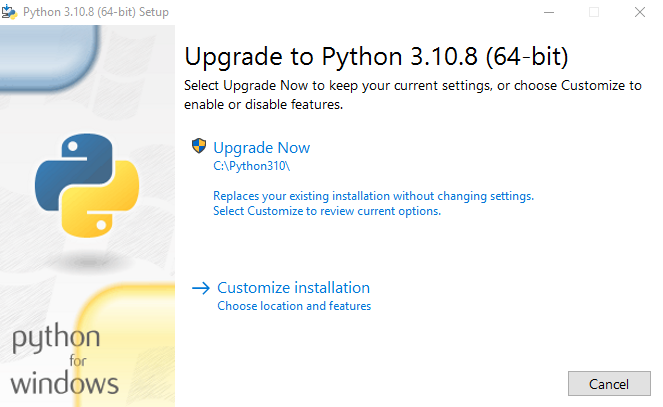
sudo apt install python3-qtpy1) Download Python 3.10 from the website https://www.python.org/downloads/
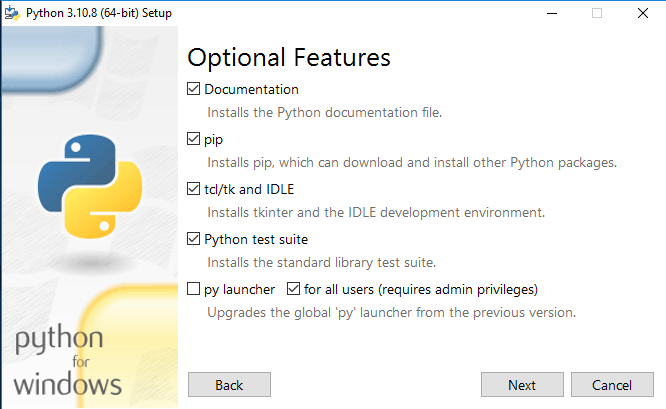
2) Run the installer. Click on the Customize installation button
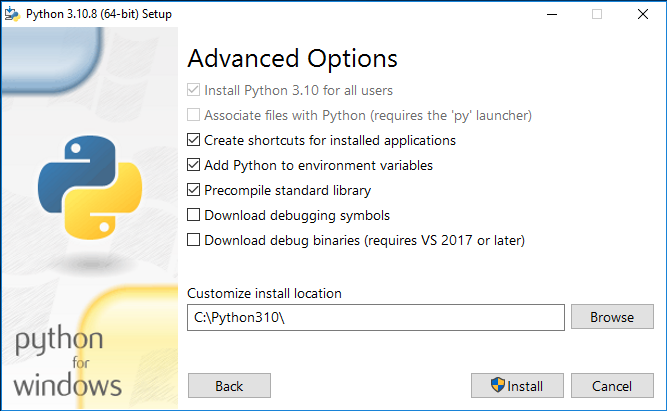
Check the Add environment to PATH box.
Install to the folder C:\Python310
3) Open the command line as administrator and run the command
pip install --upgrade cloud-os-desktop4) Create a Shortcut named “Cloud OS” on the desktop with the following command
C:\Python310\pythonw.exe -c "from cloud_os_desktop.app import run; run()"5) Run the shortcut